Configuration &
Variant Management
More product choices. Fewer duplicate BOMs. Define options once, validate every configuration, and deliver the right BOM for each variant.
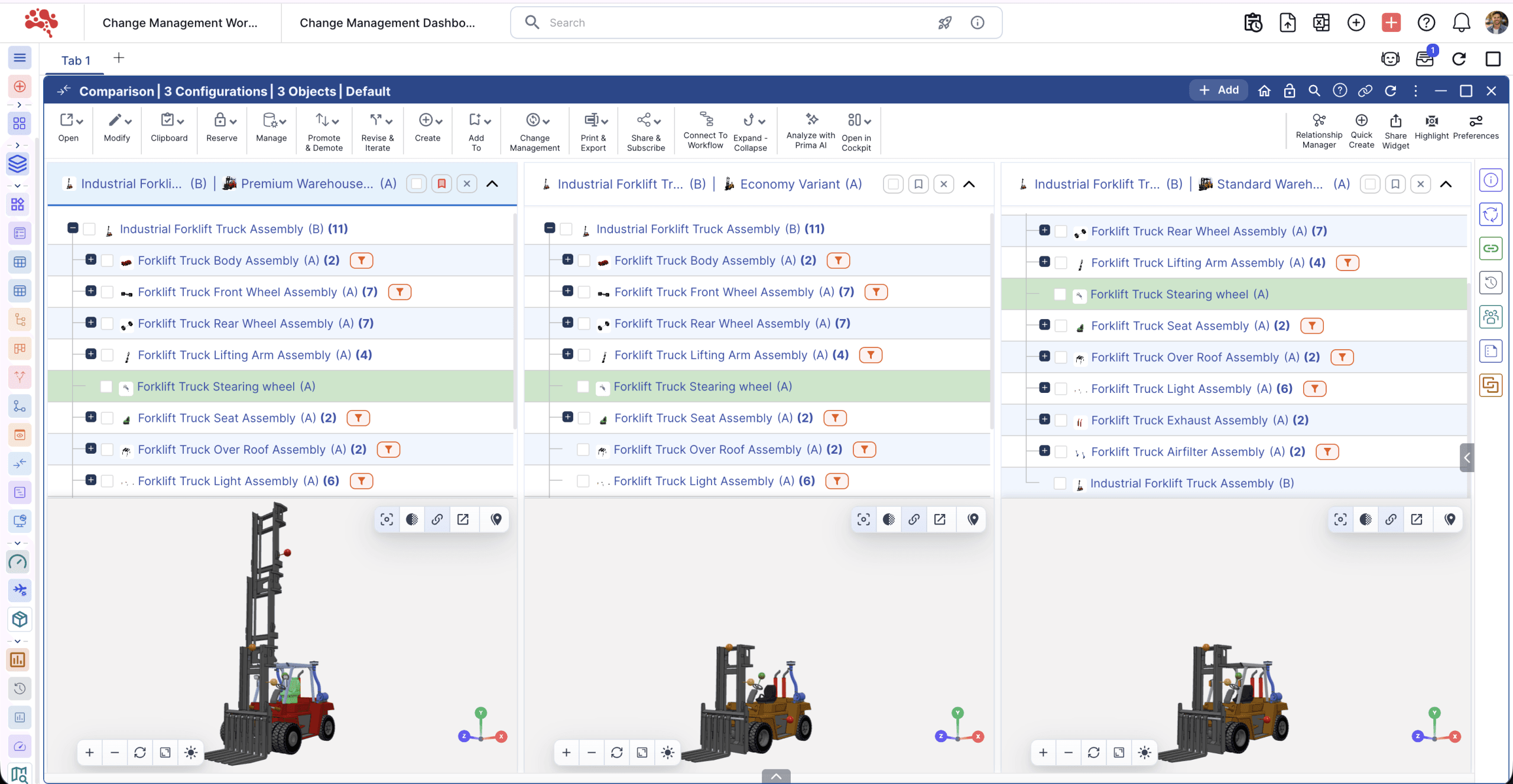
Grow your product range.
Keep one source of truth.
A new variant shouldn’t mean another BOM to maintain.
Bring models, options, and features into one controlled product family. Compare variants side by side and keep engineering and manufacturing working from the same definition.
- Reuse shared parts and modules across variants.
- See option differences in a single feature matrix.
- Keep decisions linked to revisions and changes.
Every option in.
The exact BOM out.
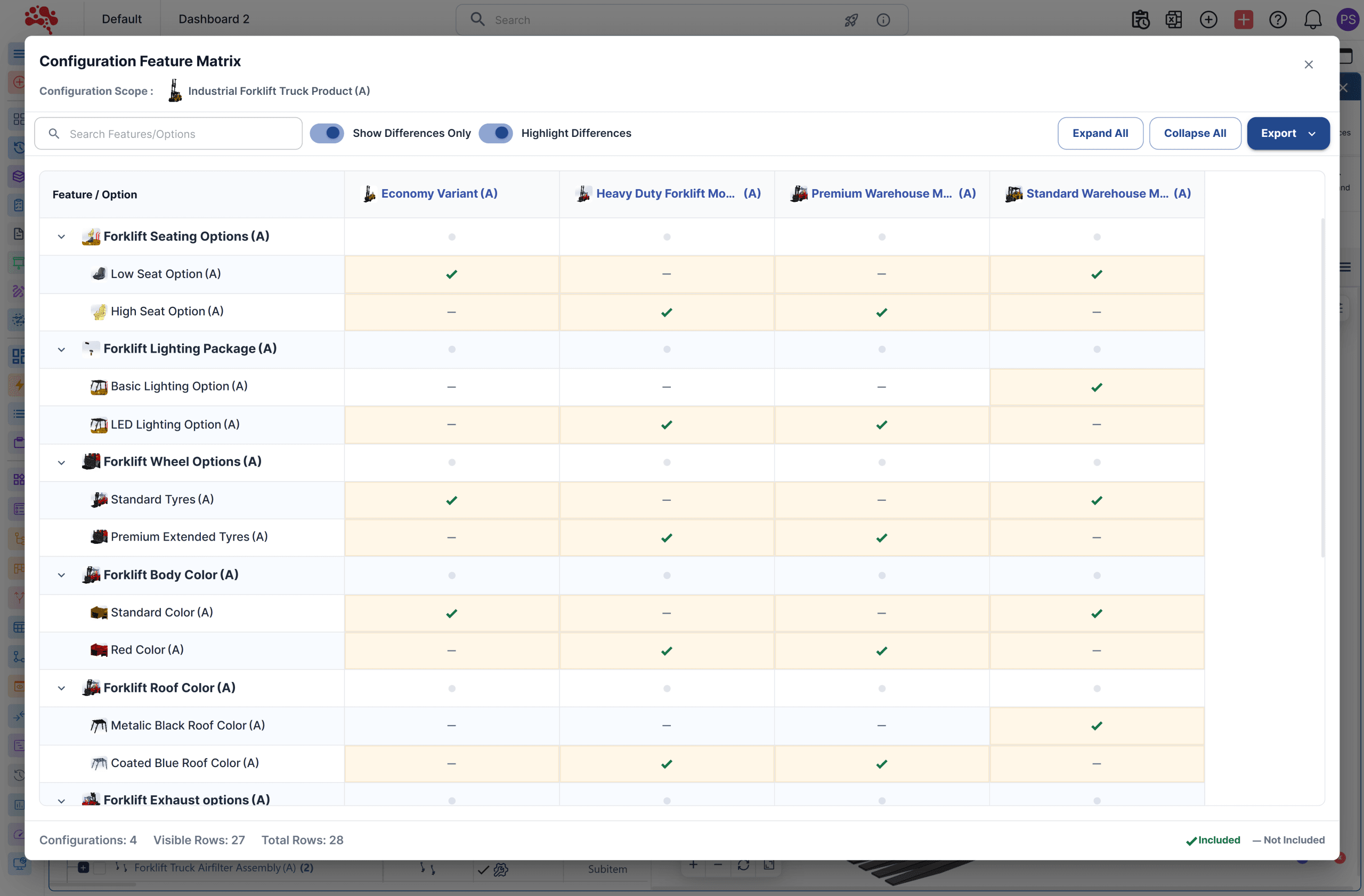
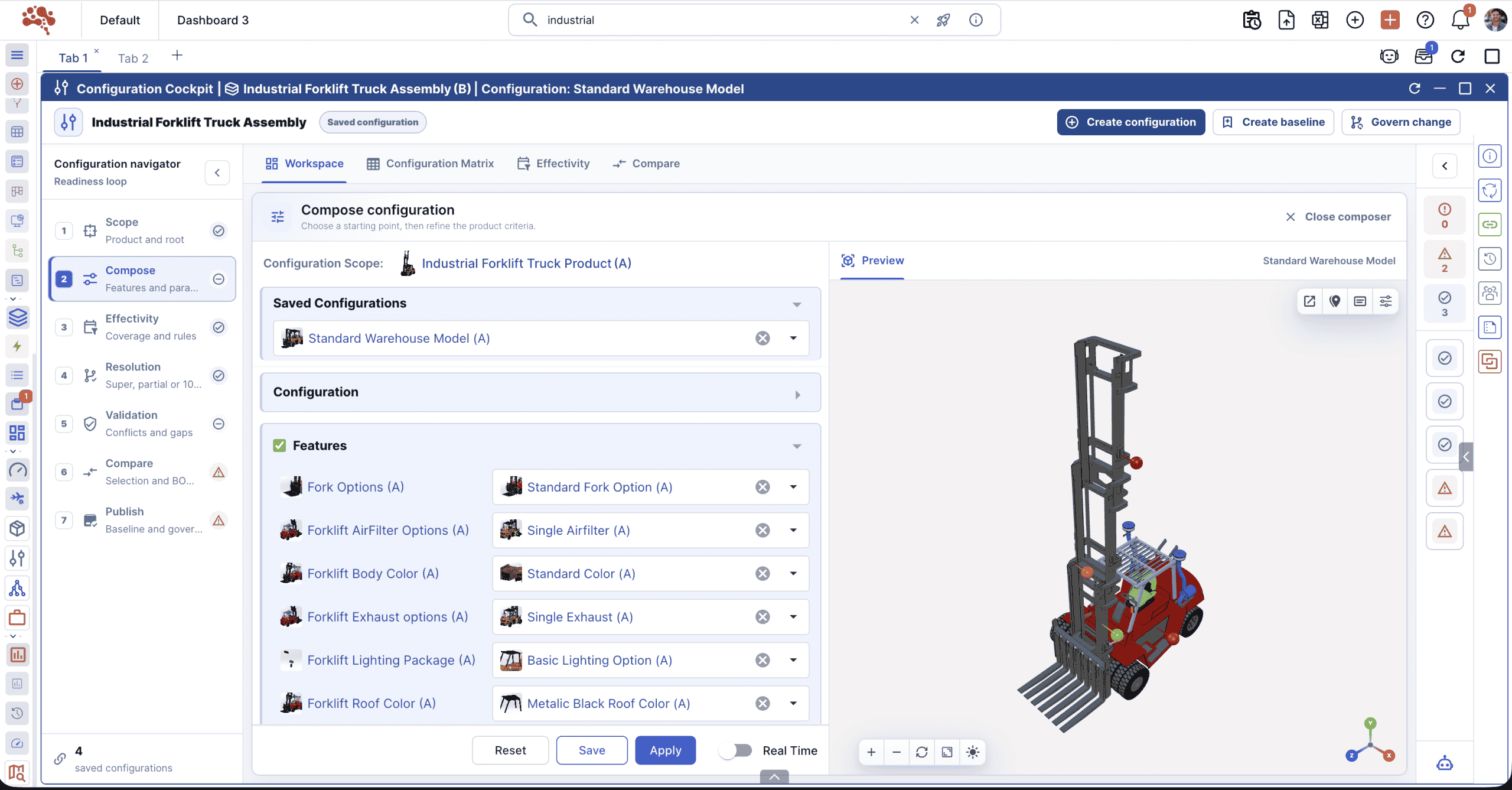
A 150% BOM holds every possible part and option. Nora IPLM applies your configuration rules to generate the 100% BOM for the product you need to build.
- 01
Define once
Build a Super BOM for the product family, with reusable modules and options.
- 02
Configure with rules
Select the model, market, or customer options. Validate dependencies and effectivity.
- 03
Generate the right BOM
Give production and procurement the exact parts for the selected variant.
Catch invalid combinations.
Before they reach production.
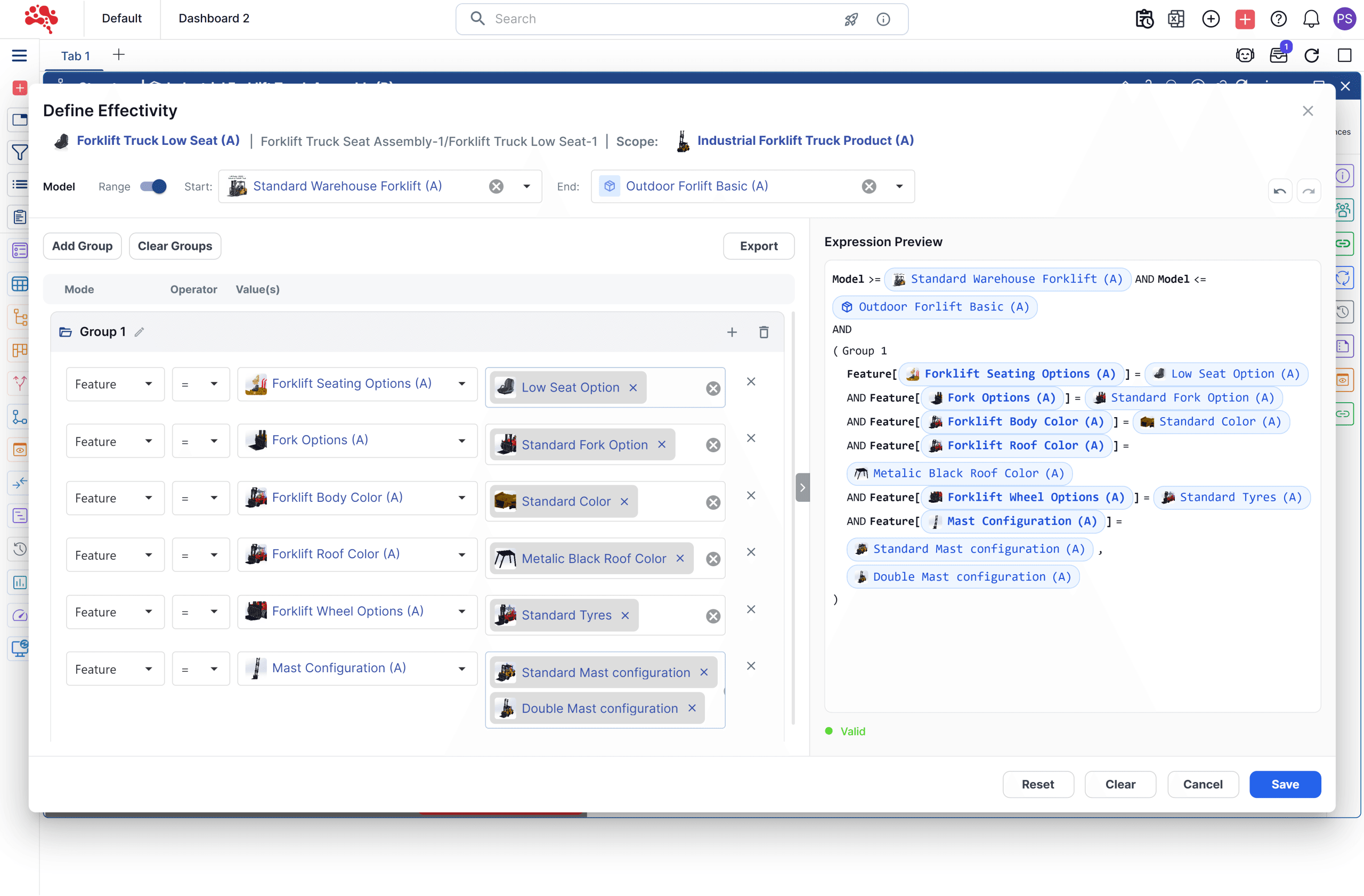
Control which parts and options belong together with dependencies, exclusions, and effectivity rules. Turn manual checks into repeatable configuration logic.
Manage regional models, optional assemblies, and customer-specific requirements without rebuilding the product structure each time.
Keep every variant connected to its history.
Follow a configured BOM back to its selected options, source structure, rules, and revisions. Keep documents, CAD references, approvals, and engineering changes in the same PLM workflow.
When a shared part changes, teams can understand the impact across related configurations.
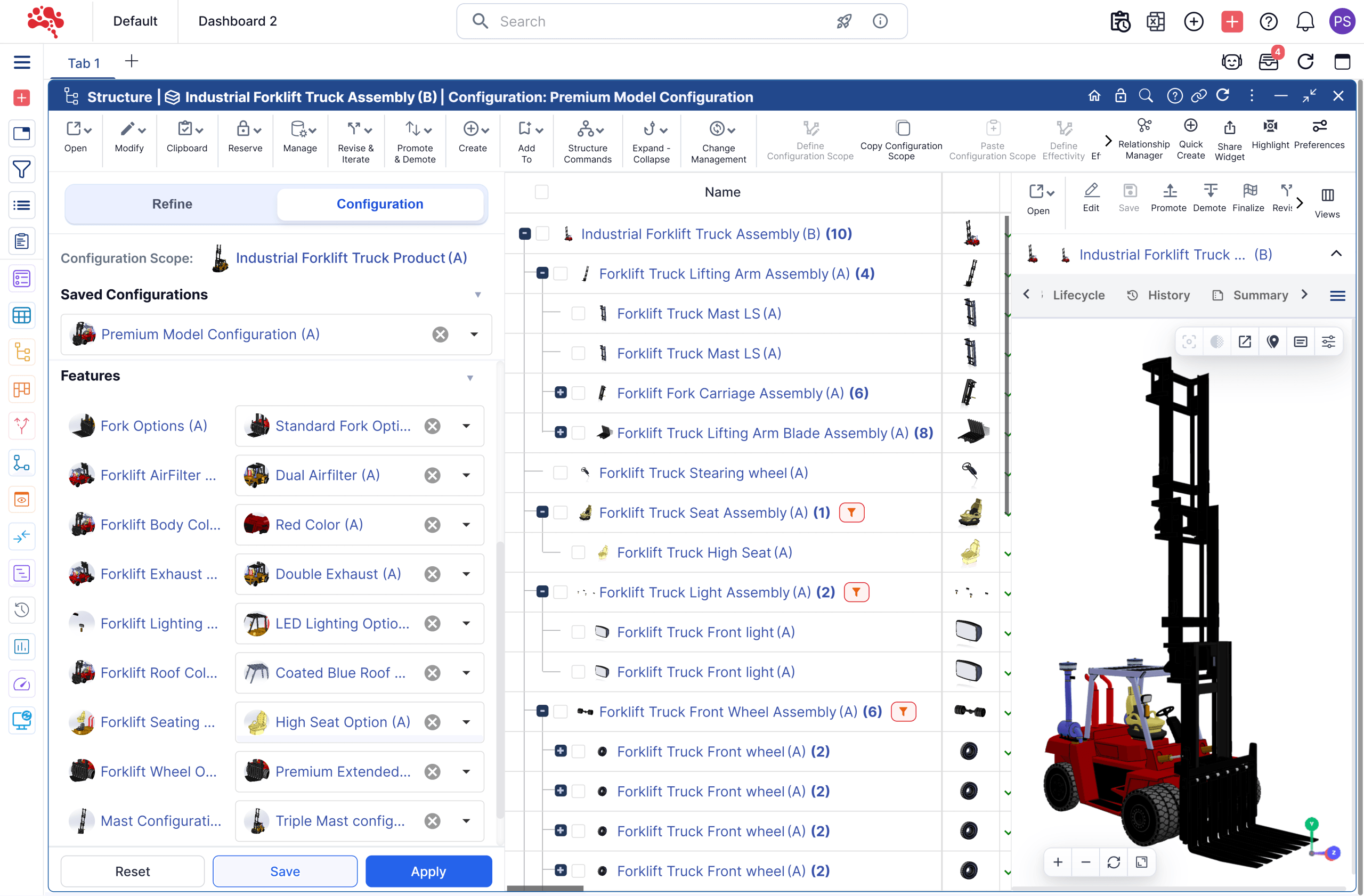
One configuration.
Every team in sync.
Engineering
Reuse product structures and update shared logic through controlled change workflows.
Manufacturing & procurement
Work from the exact configured BOM for each order, model, or market.
Product & quality
Manage option availability and trace each variant through revisions and released structures.
Explore configuration
for your products.
Good questions. Clear answers.
What is configuration and variant management?
Configuration defines valid combinations of options, features, and parts. Variant management controls the product versions created from those choices. Nora IPLM connects both to BOMs, revisions, and engineering changes.
What is a 150% BOM?
A 150% BOM, or Super BOM, contains all possible parts and options for a product family. Rules filter this shared structure into the exact 100% BOM for a selected variant.
What does a 100% configured BOM include?
Only the parts and options required for a specific product, order, market, or customer configuration. It gives manufacturing and procurement a precise product structure to work from.
How do rules prevent invalid combinations?
Dependencies, exclusions, and effectivity conditions determine which options and parts apply to each variant. Teams validate selections before generating the configured BOM.
Can we manage customer-specific variants?
Yes. Use customer, order, market, or model requirements to select a configuration from shared product options and rules.
How are configurations connected to changes?
Selected options and configured BOMs stay linked to source structures, rules, revisions, and engineering changes. Teams can trace how a variant was defined and which product data was released.
More variants.
Less repeated work.
See how Nora IPLM turns your product options into a controlled, configured BOM.